Skip to content

Features

Powerful Features. Simpler Business.

Everything you need to create invoices, manage GST documents, streamline operations, and keep your business organized, all in one place.

The story

Everything Your Business Needs to Stay in Control

Apni Invoice brings essential billing and business tools together in one simple platform, helping you spend less time managing paperwork and more time running your business.

Chapter 1 of 4

Create.

Every business story starts with a document.

GST Invoicing

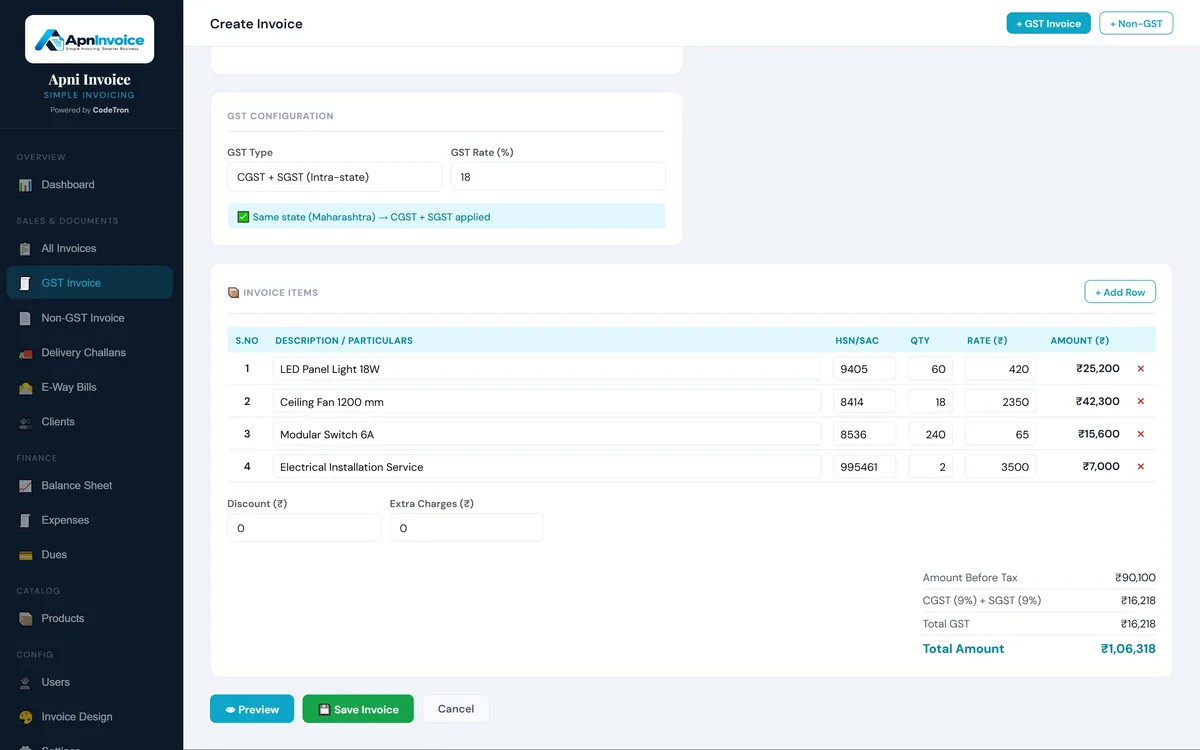
Create professional GST invoices in seconds

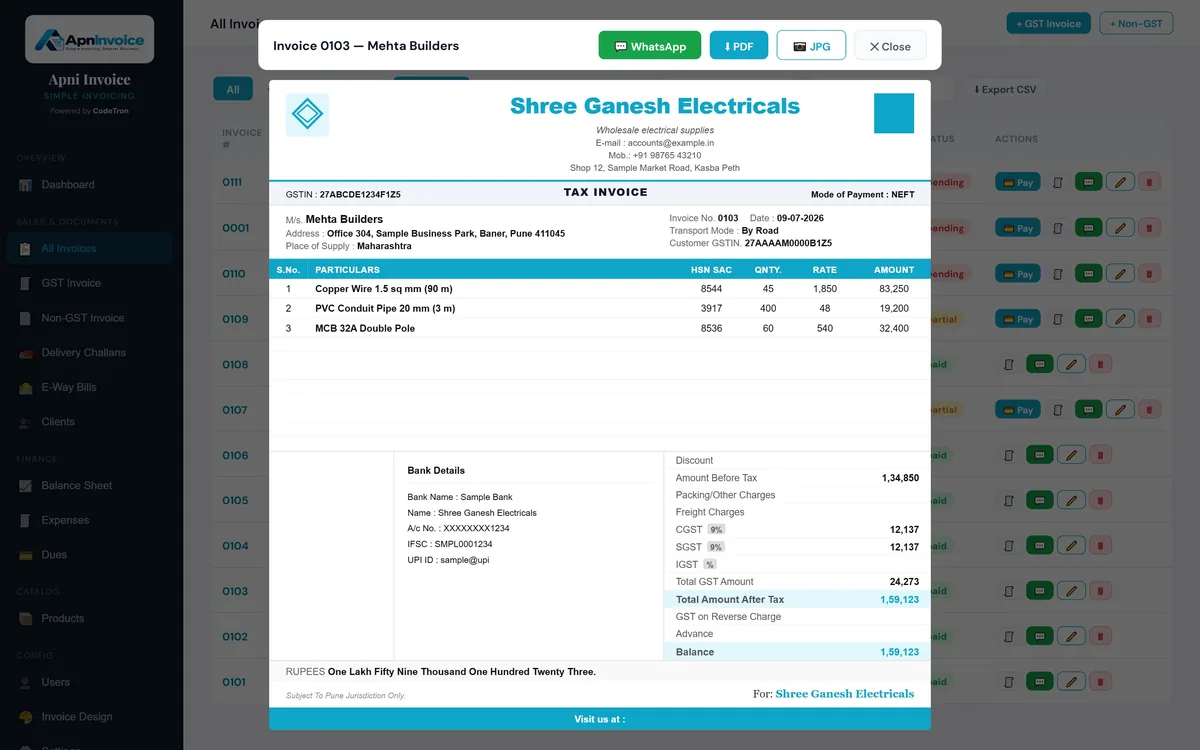
Create accurate, professional invoices with all the essential GST details your business needs.

Manage your billing process from a single platform and keep your invoices organized and accessible.

  • GST-compliant invoicing
  • Professional invoice formats
  • CGST + SGST or IGST picked from the place of supply
  • GST and non-GST invoices
  • Bank and UPI details on every invoice
  • Share on WhatsApp, download as PDF or JPG
  • Invoice history and CSV export
Tax InvoiceSample data
INV-0042Billed to Sample Customer Co.
Sample product A₹ 1,200 each 40 ₹ 48,000
Sample product B₹ 2,000 each25₹ 50,000
Taxable value
₹ 98,000
CGST (sample 9%)
₹ 8,820
SGST (sample 9%)
₹ 8,820
Total
₹ 1,15,640
PrintShareHistory: INV-0041 · INV-0040

Change the quantity and watch the tax update.
Professional Documents

Make every business document look professional

Create clean, professional business documents that represent your brand and are easy for your customers to understand.

Customize your business information and maintain a consistent identity across your documents.

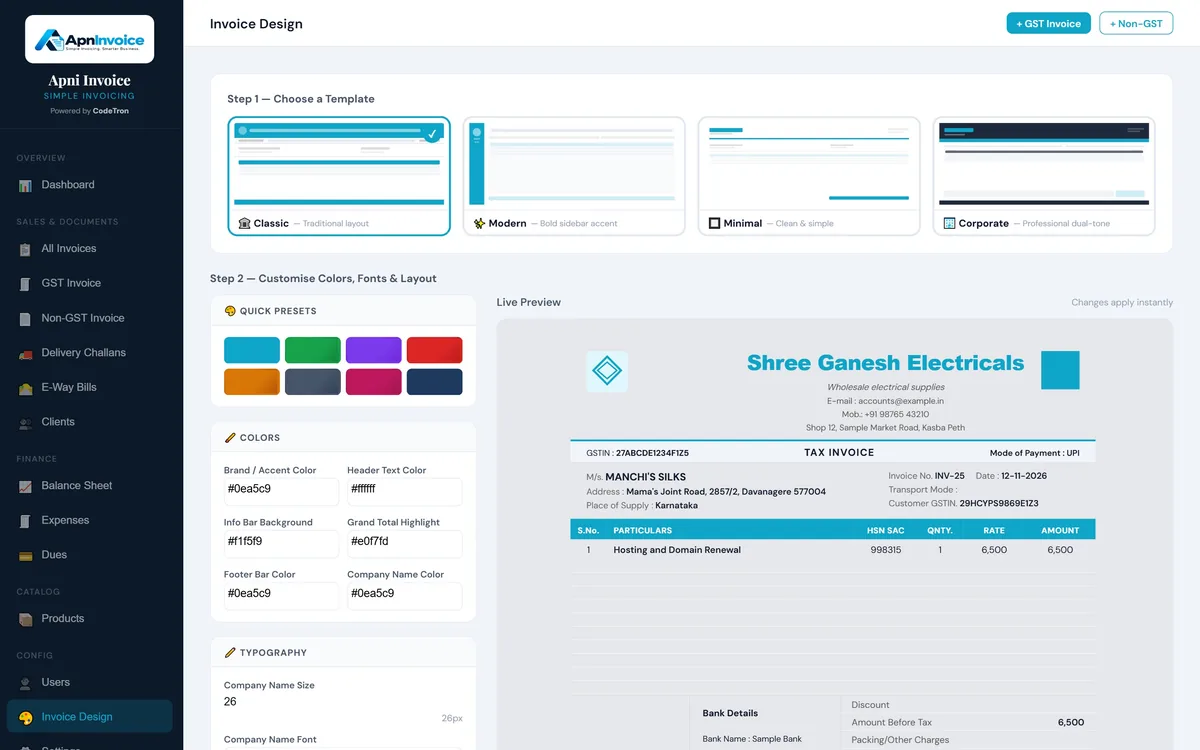
  • Four invoice designs: Classic, Modern, Minimal and Corporate
  • Your own colours, fonts and layout, with a live preview
  • Amount in words and a clean GST summary
Accent colour
Y Your Business NameStreet, City, StateGSTIN 00AAAAA0000A0Z0
Tax InvoiceINV-0042

Type in the fields. Your document updates as you go.

Chapter 2 of 4

Manage.

Then the documents that move your goods.

E-Way Bill

Simplify your E-Way Bill workflow

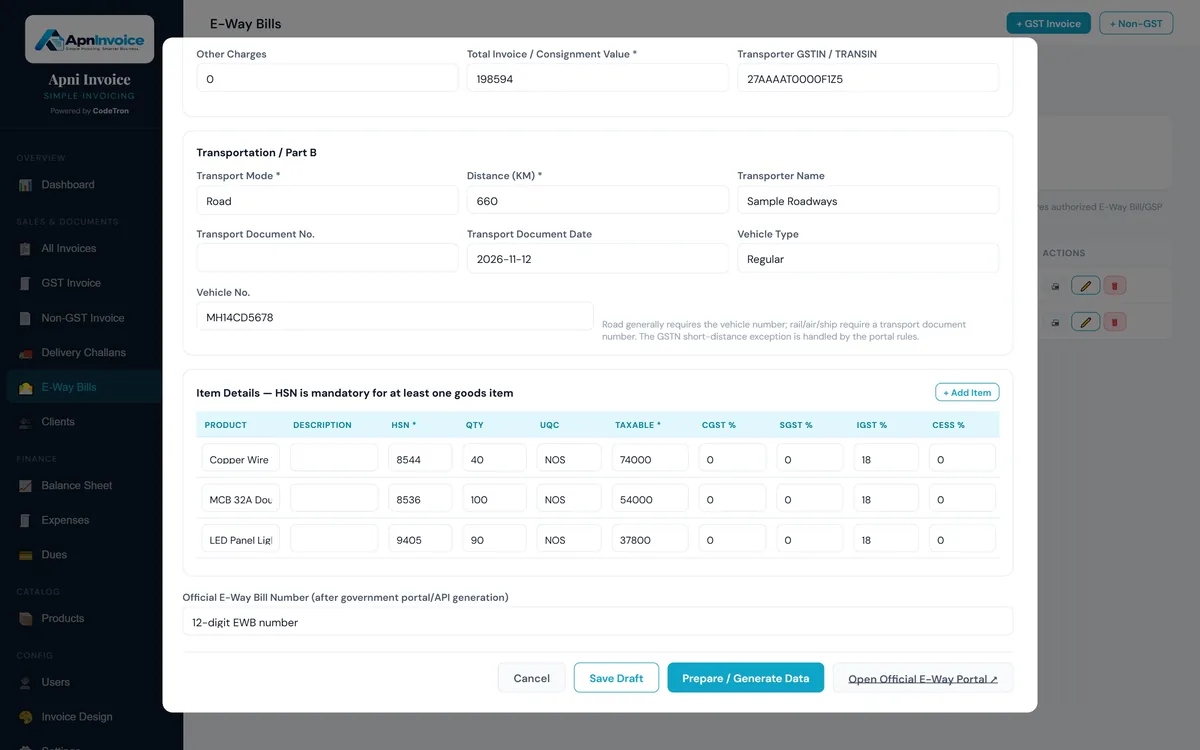
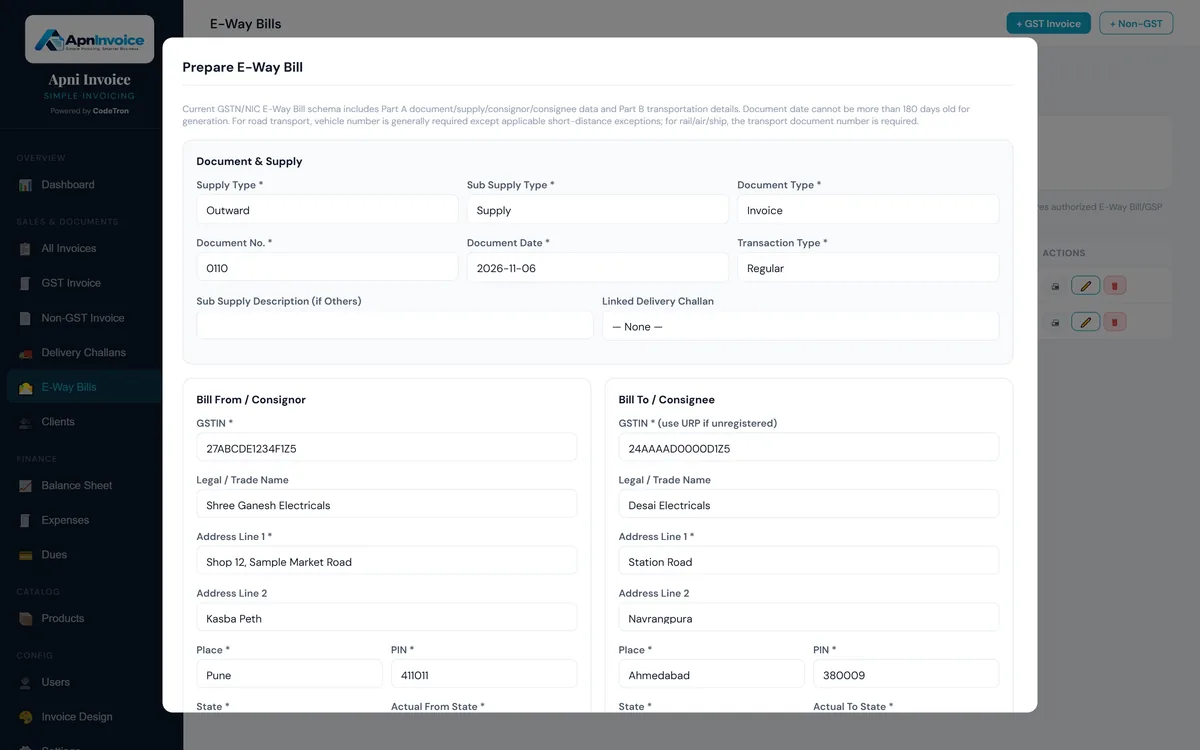
Prepare E-Way Bills in Apni Invoice, right next to your invoices. Your business details fill in automatically, and a delivery challan's recipient and items carry straight across, so there's less to type.

Apni Invoice checks the details before you go, then you open the official E-Way Bill portal to generate it and save the 12-digit number back on the record.

  • Your business details filled in; challans carry across
  • Part A and Part B details in one form
  • Checks for HSN, GSTIN, PIN, distance and document date
  • Official E-Way Bill number saved with the record

See the step-by-step guide

Prepare E-Way Bill form in Apni Invoice: document and supply details, consignor and consignee

Delivery Challan

Manage deliveries with confidence

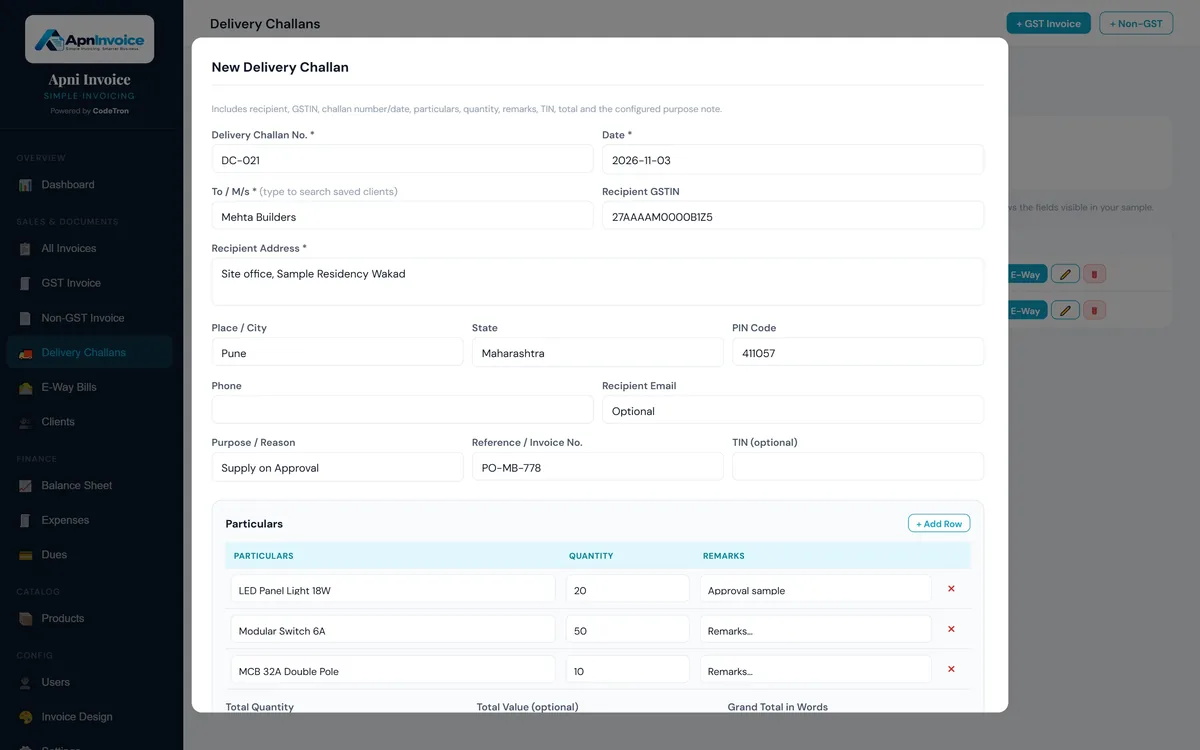
Create and manage Delivery Challans separately from your regular invoicing workflow.

Apni Invoice gives Delivery Challan its own dedicated settings and management process, helping you maintain accurate delivery documentation without complicating your invoices.

  • Create Delivery Challans
  • Dedicated Delivery Challan settings
  • Customer and item details
  • Delivery documentation
  • Turn a challan into an E-Way Bill
  • Easy printing and sharing
Invoicing workflowSample data
INV-0042Sample Customer Co.Sent
INV-0041Sample TradersPaid
INV-0040Sample StoresPaid
Invoice settings

Two workflows. Two sets of settings. One platform.

Chapter 3 of 4

Track.

Know what you sell, who you serve, and what's due.

Products & Services Catalogue

Type it once. Reuse it on every invoice.

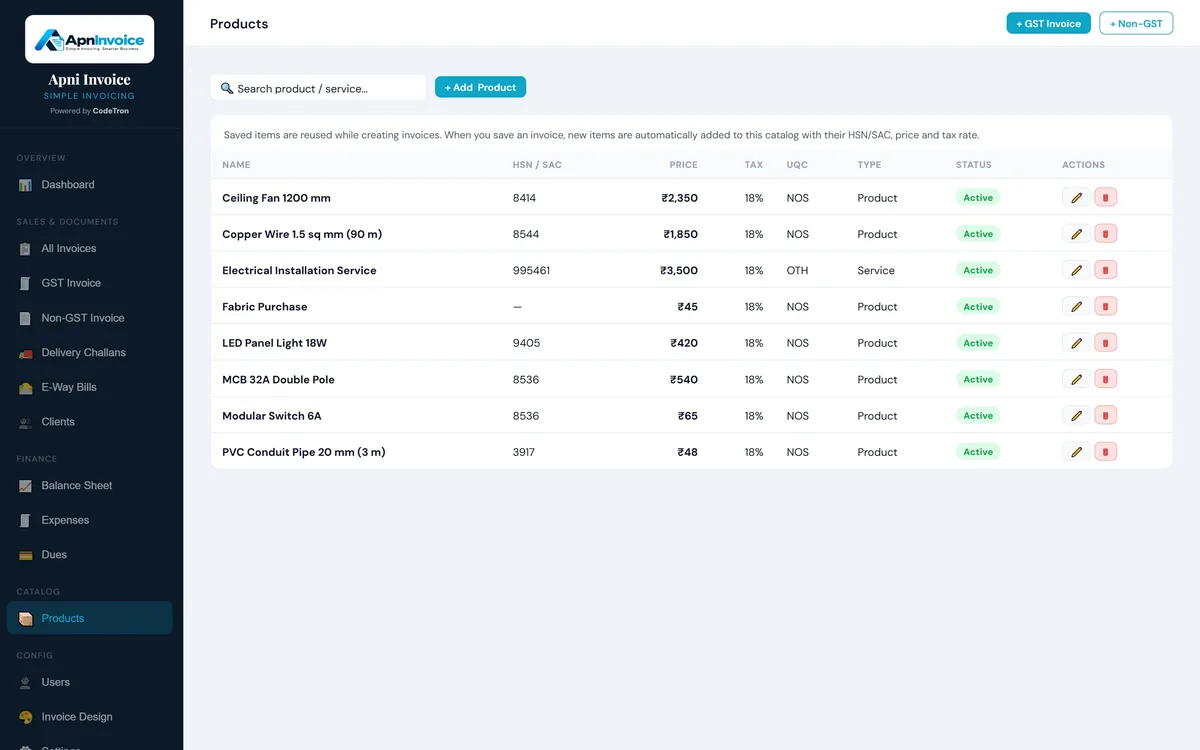
Keep the goods and services you sell in one catalogue, with the details GST invoices need. Pick an item while billing and its HSN or SAC code, price and tax rate fill in for you.

New items you add on an invoice are saved to the catalogue automatically.

  • Products and services
  • HSN / SAC codes
  • Price, GST rate and unit
  • Saved automatically from invoices
  • Search, edit or deactivate items
Products catalogue in Apni Invoice listing items with HSN/SAC code, price, tax rate, unit and type

Payments & Dues

Know who has paid, and who hasn't.

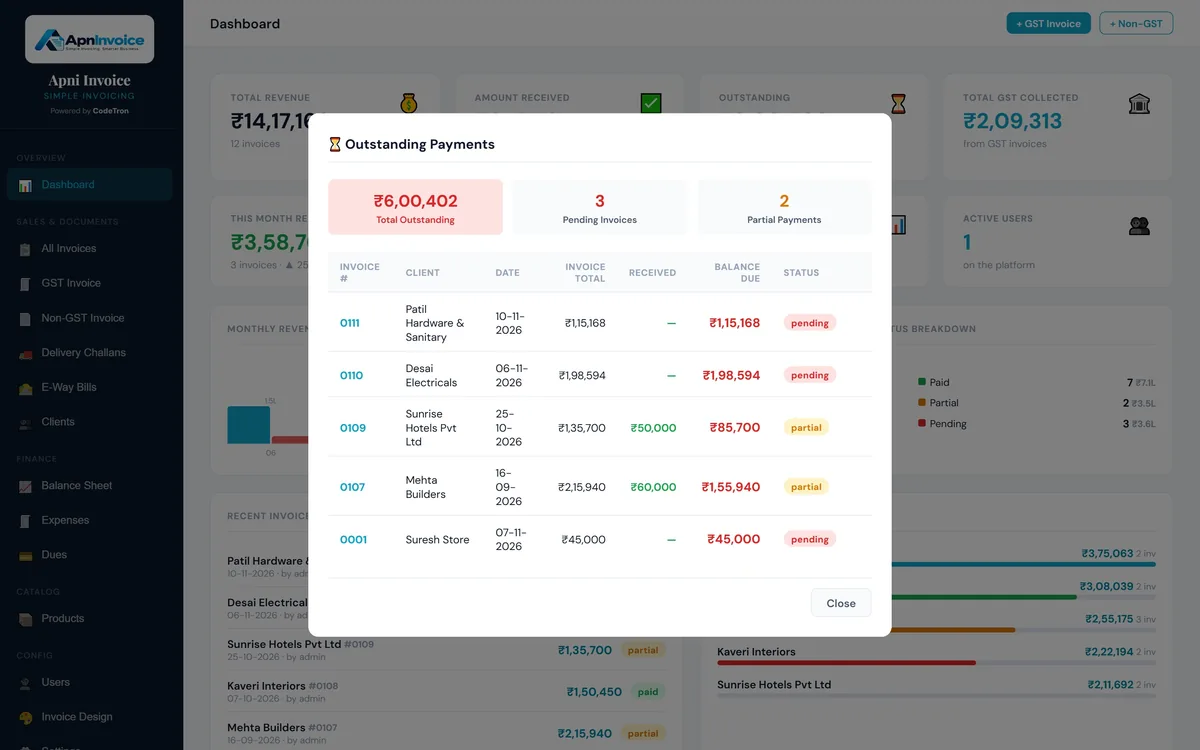
Record payments against invoices as they come in, in full or in part. Apni Invoice shows what is still outstanding, by invoice and by client.

  • Paid, partial and pending status
  • Outstanding payments at a glance
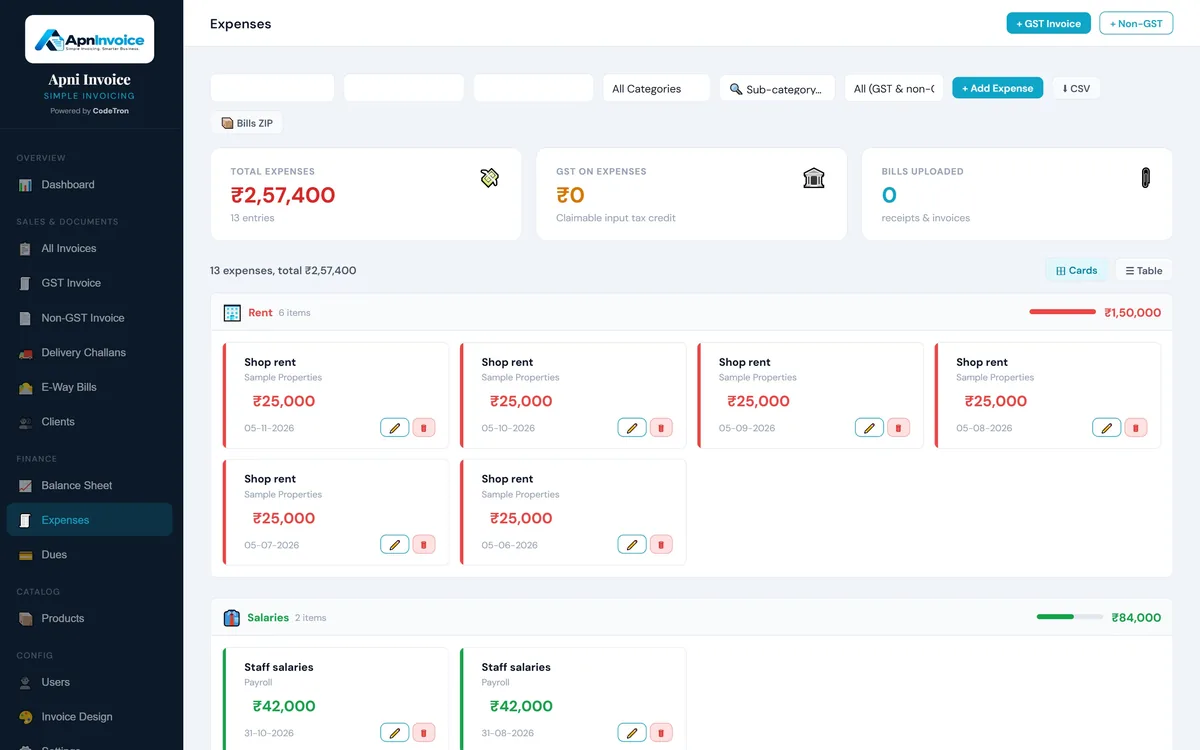
  • Expenses and dues payable
  • Top clients by revenue
Outstanding payments in Apni Invoice: total outstanding, pending and partial invoices with balance due

Customer Management

Keep your customer information organized

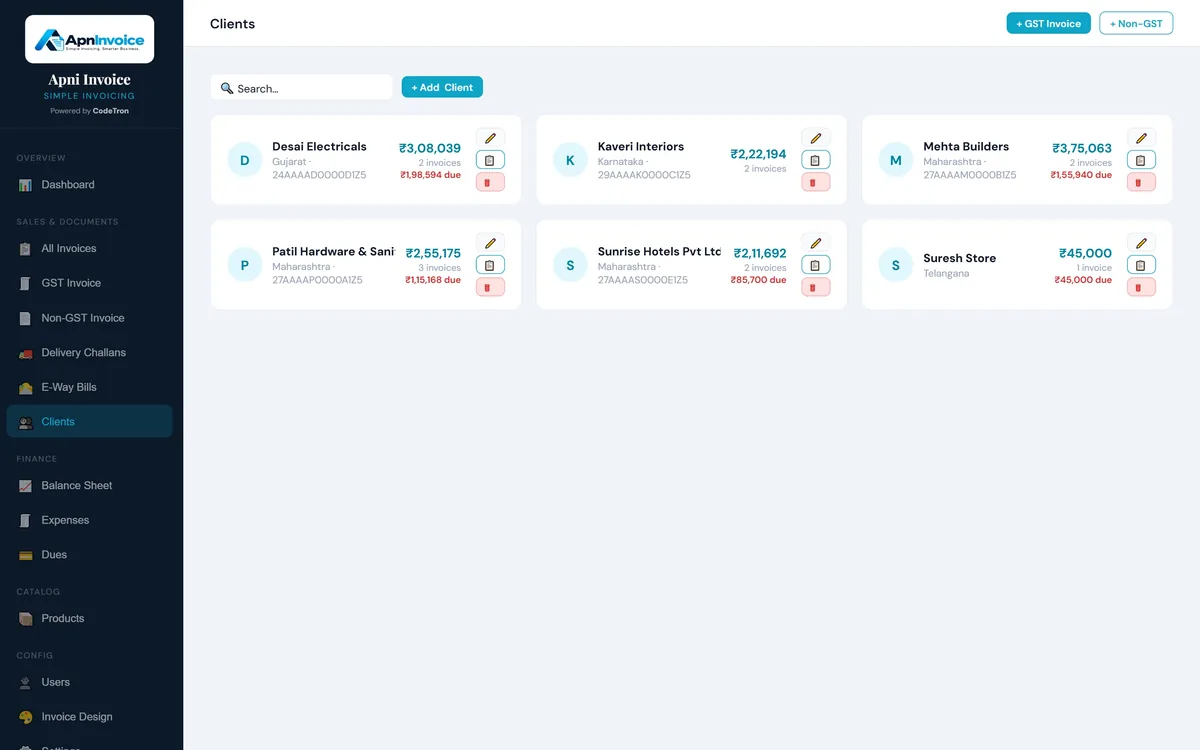
Manage customer details alongside your invoices and transactions so your business information stays in one place.

  • Customer profiles
  • Contact information
  • Billing history
  • Transaction records
  • Easy customer lookup
CustomersSample data
Sample Customer Co.

+91 00000 00000 · accounts@example.com

  1. INV-0042Billed
  2. DC-0017Delivered
  3. INV-0031Paid

Chapter 4 of 4

Grow.

See the whole business, and run it your way.

Business Reports

Turn business data into useful insights

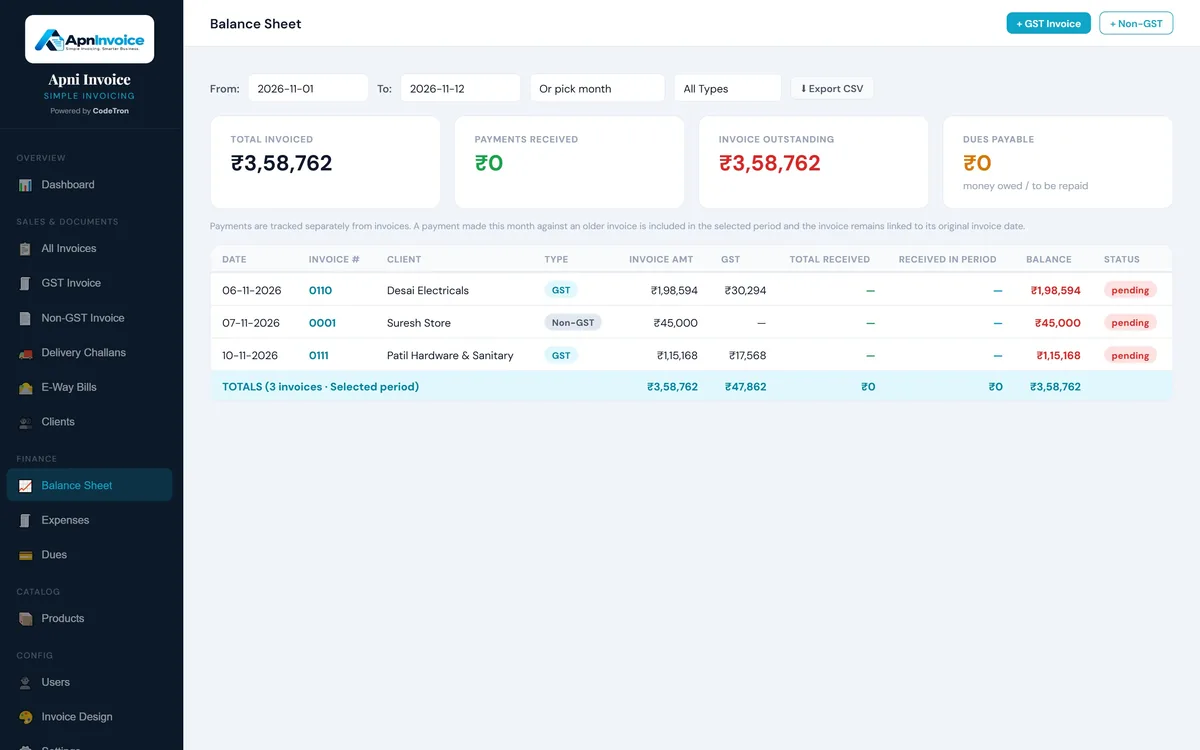
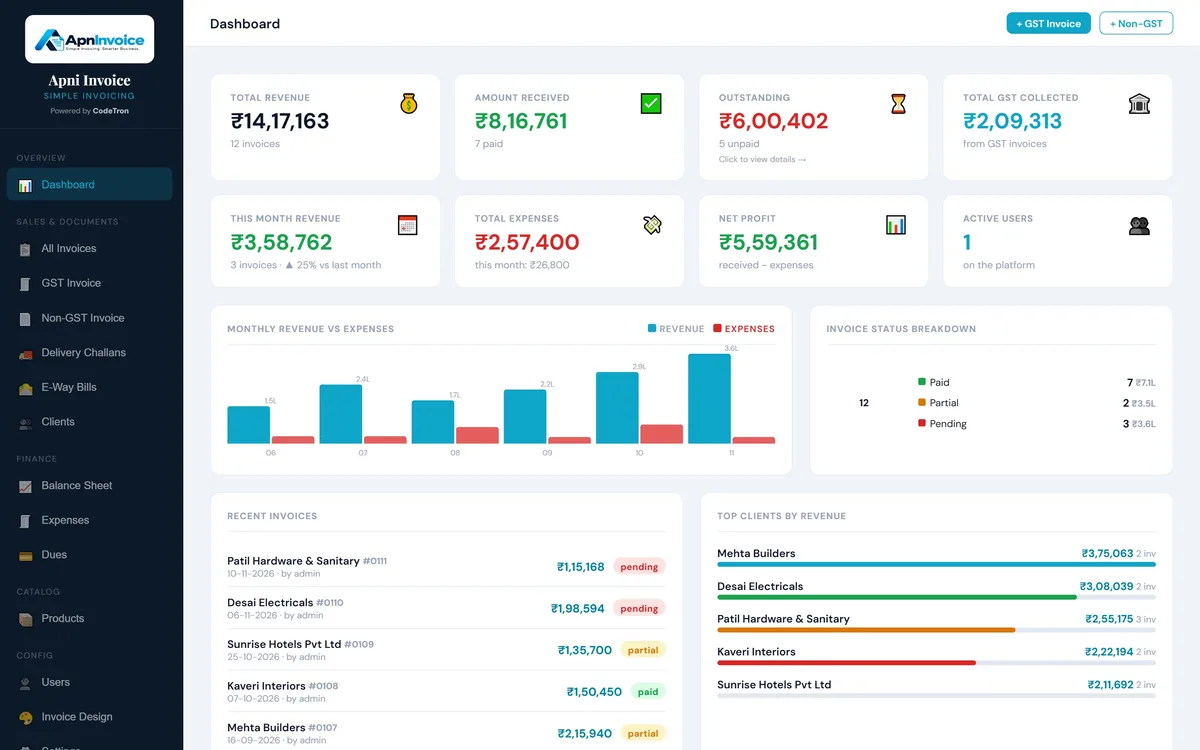
See revenue, payments received, outstanding amounts, GST collected, expenses and net profit on the dashboard, without compiling anything by hand.

Pick any period on the balance sheet to see what was invoiced, received and still due, and export it as CSV for your accountant.

  • Dashboard with monthly revenue against expenses
  • Balance sheet for any date range
  • GST collected
  • Expenses with bills and GST paid
  • CSV exports
Balance sheet in Apni Invoice for a selected period, with total invoiced, payments received, outstanding and CSV export

Cloud & On-Premise Options

Choose how you want to run Apni Invoice

Whether you want the convenience of cloud-based access or prefer complete control with an on-premise installation, Apni Invoice offers flexible deployment options.

Either way, it works in the browser on a computer, tablet or phone, and you can add more users for your team.

Cloud

Access your business from anywhere with a hosted setup.

The real thing

See the screens you'll work in.

Screenshots from Apni Invoice, with a sample business filled in.

Your business on one screen: Revenue, payments received, outstanding, GST collected, expenses and net profit, with monthly revenue against expenses and your recent invoices.

Your business on one screen

Revenue, payments received, outstanding, GST collected, expenses and net profit, with monthly revenue against expenses and your recent invoices.

  • Invoice status breakdown
  • Top clients by revenue

Built for Growing Businesses

One platform. Multiple workflows.

Apni Invoice is designed to support the everyday operations that keep a business moving, from creating an invoice to managing products, customers, GST documents, deliveries, and business records.

Invoices Products Customers GST documents Deliveries Business records

Questions

Frequently Asked Questions

Can I create GST invoices with Apni Invoice?

Yes. Create GST tax invoices with HSN/SAC codes; Apni Invoice applies CGST + SGST or IGST based on the place of supply and totals the tax for you. Non-GST invoices are supported too.

How do E-Way Bills work in Apni Invoice?

You prepare the E-Way Bill in Apni Invoice for an invoice or delivery challan, with Part A and Part B details and built-in checks. You then generate it on the official E-Way Bill portal and save the 12-digit E-Way Bill number back on the record.

Does Apni Invoice support e-invoicing (IRN)?

Not at the moment. If your business needs e-invoicing, talk to us about custom development.

Does Apni Invoice track stock?

Apni Invoice keeps a products and services catalogue with HSN/SAC codes, prices, tax rates and units, so items fill in quickly on invoices. It does not track stock quantities.

Does Apni Invoice support Delivery Challans?

Yes. Delivery Challans have their own list, numbering and form, and a challan can be carried into an E-Way Bill.

How do I share invoices with customers?

Share an invoice on WhatsApp or download it as a PDF or JPG. Your bank and UPI details print on the invoice.

Can I import my existing customers and products?

Yes. Send us your customer and product list in Excel and we'll import it for you during setup.

Can more than one person use it?

Yes. You can add users for your team.

Does it work on a phone?

Yes. Apni Invoice runs in the browser and works on computers, tablets and phones.

Can I run Apni Invoice on my own server?

Yes. The Lifetime plan runs on any PHP + MySQL hosting or server, and we install it for you remotely.

One Platform. Less Paperwork.

Stop jumping between different tools to manage everyday billing and documentation. With Apni Invoice, your essential business workflows come together in one organized platform.