Guide · E-Way Bill
How to prepare an E-Way Bill in Apni Invoice
Prepare the details in Apni Invoice, generate the E-Way Bill on the official portal, and keep the number on record. Five steps, about five minutes.
How it works
Prepare here. Generate there. Keep it here.
- Prepare in Apni InvoicePart A, values, Part B and items in one form, checked before you leave.Apni Invoice
- Generate on the portalOpen the official E-Way Bill portal and generate it with the details you prepared.Official portal
- Save the numberEnter the 12-digit E-Way Bill number. The record is marked generated and ready to print.Apni Invoice
Apni Invoice prepares and checks the details and keeps the record. The E-Way Bill itself, and its number, come from the government E-Way Bill system.
Before you start
Keep these handy.
- The invoice or challanIts number, date and values.
- Consignee detailsGSTIN (or URP if unregistered), address, PIN and state.
- HSN codesFor the goods being moved.
- Transport detailsMode, distance, and the vehicle number or transport document number.
Step by step
Preparing the E-Way Bill
-
Step 1 of 5
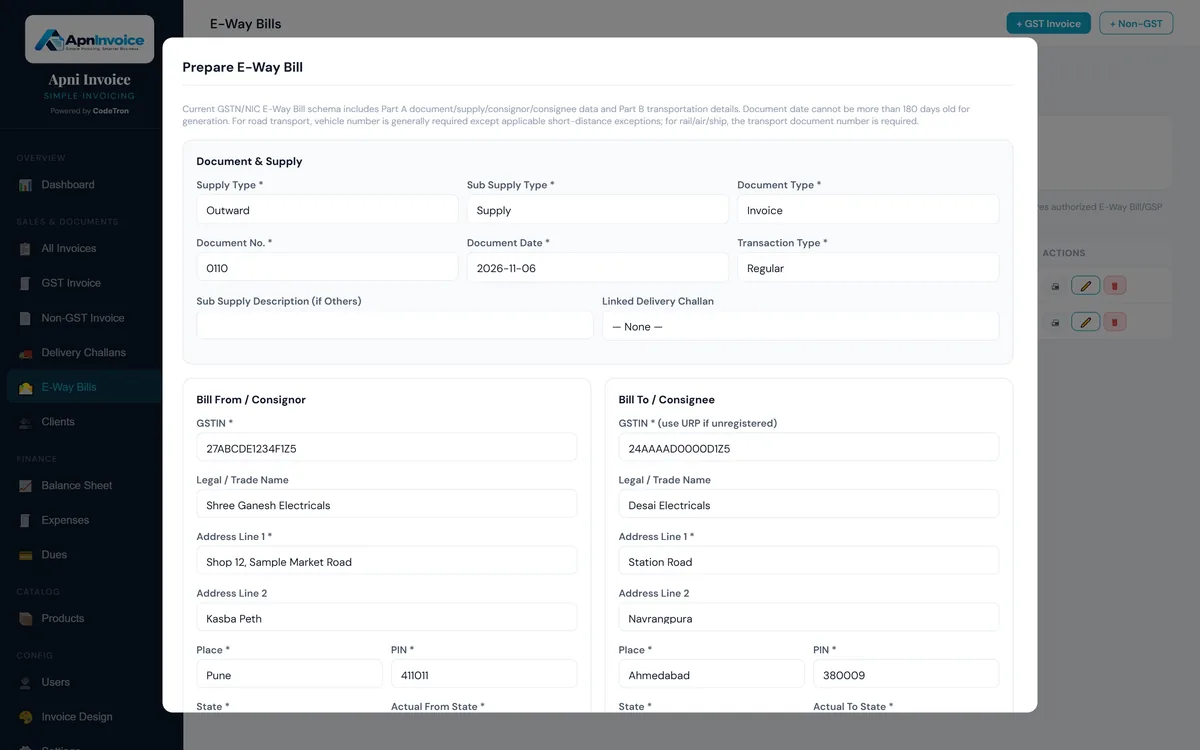
Open E-Way Bills and start a new one
Go to E-Way Bills and click Prepare E-Way Bill. Moving goods on a delivery challan? Use the E-Way button on the challan instead, and its recipient and items are filled in for you.
- Each record shows its status: prepared or generated
- Search by E-Way Bill number, document or recipient
-
Step 2 of 5
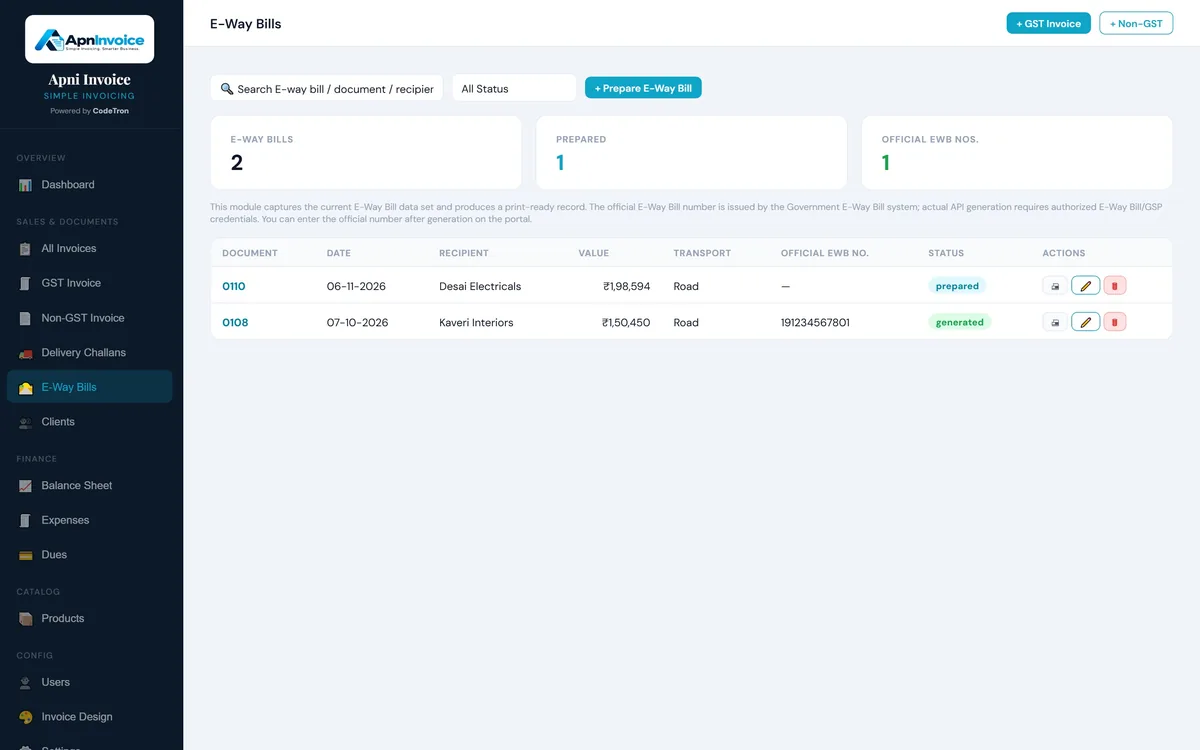
Fill in Part A: document and parties
Choose the supply type, sub-type and document type, and enter the invoice or challan number and date. Your business is filled in as the consignor; add the consignee's GSTIN (or URP if unregistered), address, place, PIN and state.
- Link a delivery challan if there is one
- Actual from and to states for bill-to / ship-to cases
-
Step 3 of 5
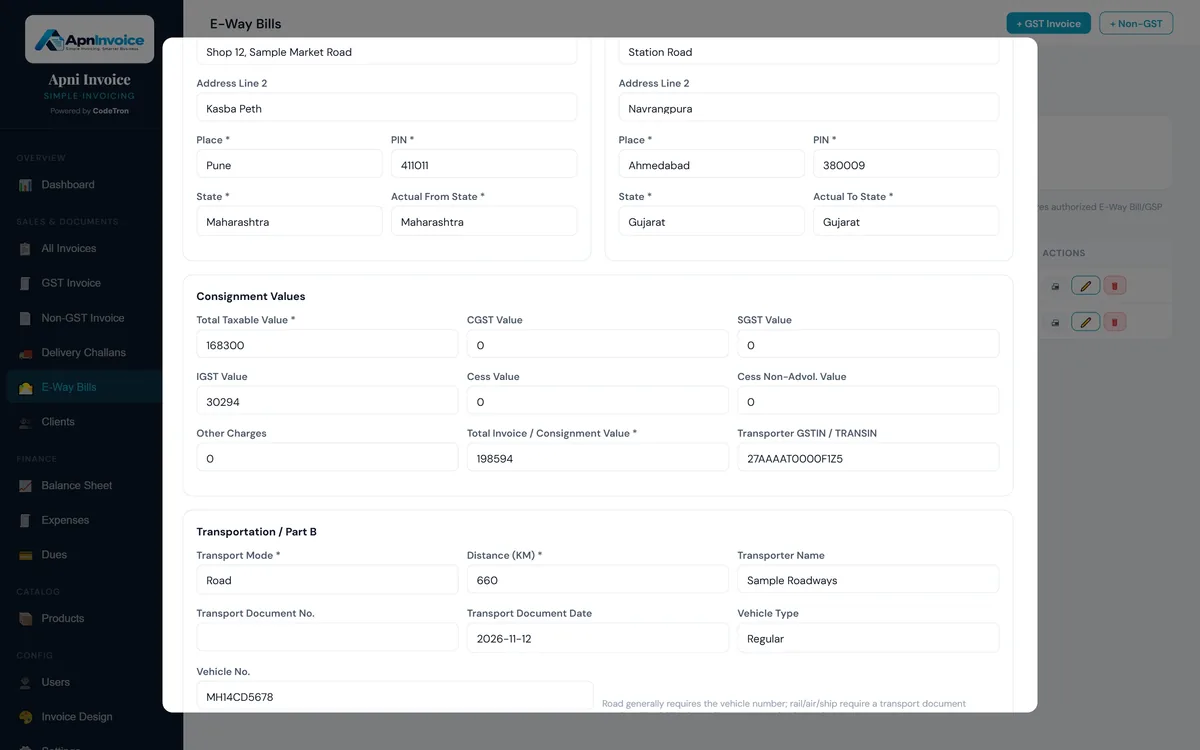
Enter the consignment values
Add the taxable value, CGST, SGST or IGST, any cess and other charges, and the total invoice value. If a transporter is moving the goods, add their GSTIN or TRANSIN.
- Use the same values as on the invoice
- Transporter GSTIN / TRANSIN is optional
-
Step 4 of 5
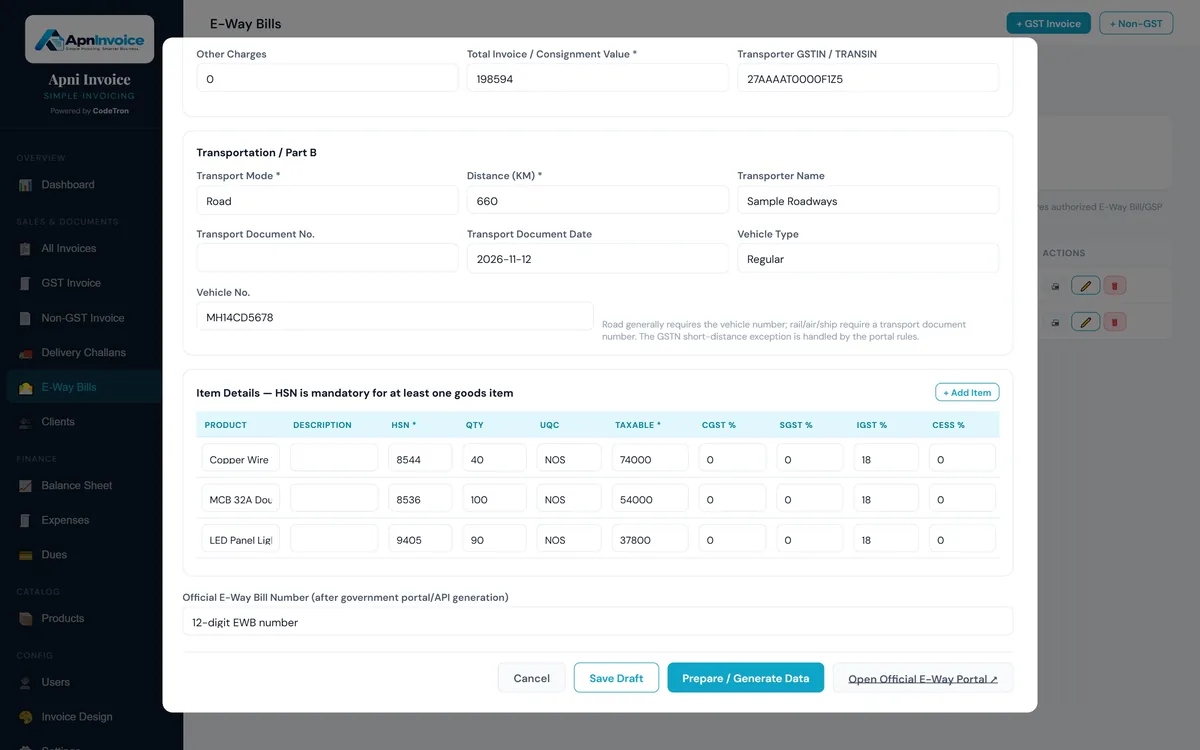
Add Part B transport details and the items
Pick the transport mode and enter the distance, transporter name and vehicle number (or the transport document number for rail, air or ship). List the goods with their HSN code, quantity, unit and taxable value, then click Prepare / Generate Data.
- At least one goods item needs an HSN code
- Save Draft if you are still waiting for the vehicle
-
Step 5 of 5
Generate it on the portal and save the number
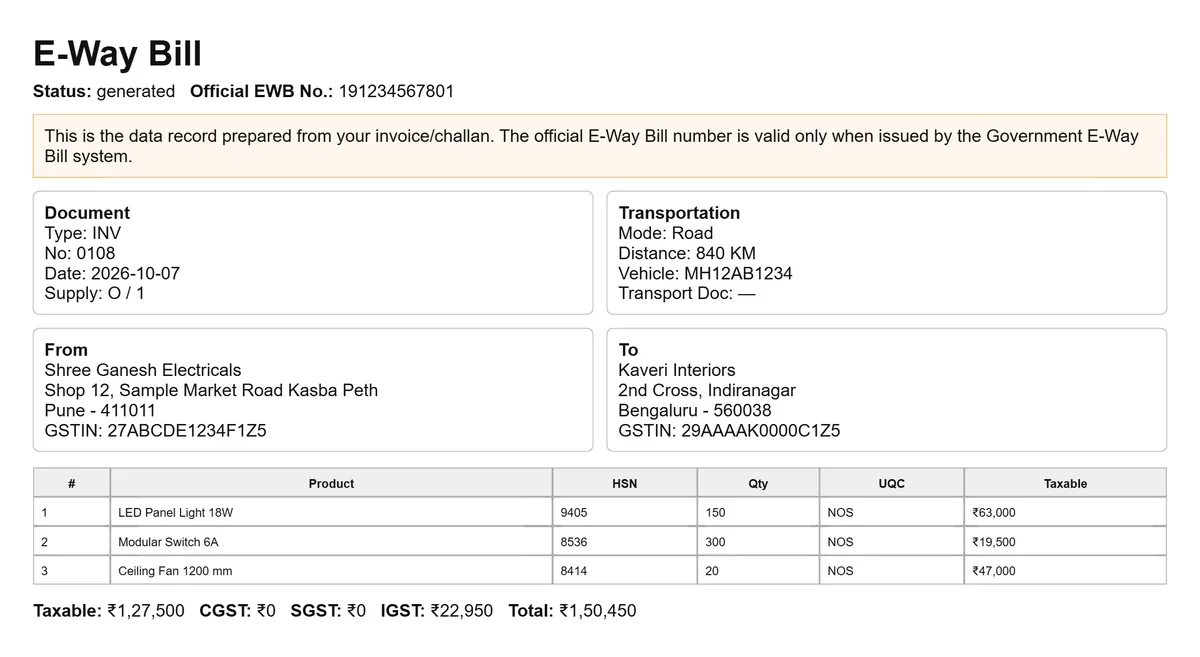
Click Open Official E-Way Portal and generate the E-Way Bill there with the details you prepared. Enter the 12-digit E-Way Bill number back in Apni Invoice: the record is marked generated and is ready to print.
- Only the government E-Way Bill system issues a valid number
- The record keeps document, transport and item details together
Good to know
What Apni Invoice checks, and what happens on the portal.
Checked before you go to the portal
- Document number and date are filled in
- Document date is within the last 180 days
- GSTIN, PIN and state for both parties
- Distance between 0 and 4,000 km
- At least one goods item with an HSN code
- A total consignment value
- Vehicle number for road transport, or a transport document number for rail, air or ship
Done on the official portal
- Generating the E-Way Bill and its number
- Cancelling an E-Way Bill
- Updating Part B, for example a change of vehicle
- Extending validity
After a change on the portal, update the record in Apni Invoice so your copy matches.
Questions
E-Way Bill questions
Does Apni Invoice generate the E-Way Bill number?
No. Apni Invoice prepares and checks the E-Way Bill details. The E-Way Bill and its 12-digit number are generated on the official E-Way Bill portal, and you then save the number in Apni Invoice.
Can I prepare an E-Way Bill from a delivery challan?
Yes. Use the E-Way button on the delivery challan and its recipient and items are filled in for you.
Is the vehicle number always needed?
For road transport the vehicle number is generally required. For rail, air or ship, enter the transport document number instead. Apni Invoice reminds you before you go to the portal.
Can I save an E-Way Bill before I have the vehicle details?
Yes. Use Save Draft and come back to it when the transport details are ready.
Can I cancel or extend an E-Way Bill from Apni Invoice?
No. Cancelling, updating Part B and extending validity are done on the official E-Way Bill portal. Update the record in Apni Invoice afterwards so your copy matches.
Can I print the E-Way Bill record?
Yes. Each record has a print-ready view with the document, transport and item details and the official E-Way Bill number.
Try it with your own invoices.
Start a 14-day free trial. We set up your account, and you can prepare your first E-Way Bill the same day.